
How do I lay out a Supplement Facts panel, barcode and lot code zone?
Short answer: Divide your wrap artboard into three vertical panels (front Principal Display Panel, right-hand Supplement Facts panel, and left-hand directions/barcode panel), set all 5- to 6-point table text as 100% K-only black vectors, and reserve a white LOT/EXP box. Order custom supplement labels with free prepress check.
On this page
- Where does each element go on a 3-panel supplement bottle wrap
- Why must small Supplement Facts text be set in 100% K-only black vector ink
- How do I design the LOT and EXP date stamp zone for my co-packer
- Should my supplement label carry a UPC barcode, an Amazon FNSKU or both
- How does CubitPack check supplement label files before printing
- Common mistakes
- FAQs
Request a custom quoteFree dieline & 3D mockup
Laying out a dietary supplement label that prints with razor-sharp 6-point text and runs smoothly at your contract manufacturer starts with a clean three-panel grid. A common layout puts your brand, product name and count on the front panel, and the Supplement Facts box, Other Ingredients and company address on the panel to its right. Your regulatory advisor confirms what your label must say and where. The third panel holds suggested use, warnings, the boxed DSHEA disclaimer (if you make a structure/function claim), a scannable UPC or Amazon FNSKU barcode, and a high-contrast white LOT/EXP date box. Setting all small text and hairlines as 100% black (K-only) vectors prevents 4-color registration blur. At CubitPack, custom supplement labels start at 500 pieces with 10 to 14 business day turnaround (4 to 5 days rush), free design help, no die or plate charges, and a free digital proof and 3D mockup before you pay.
Where does each element go on a 3-panel supplement bottle wrap?
When you build a wraparound artboard for custom printed supplement labels, organizing your text into three vertical columns keeps the front of the bottle uncluttered while placing every disclosure where retailers, marketplaces and consumers expect to find it. On a round bottle, a shopper looking straight at the front label can only read about one-third of the circumference without rotating the container in their hand. Your brand or regulatory specialist provides the exact wording and nutrient figures for your formula, and our prepress team checks that every panel sits at least ⅛ inch inside the cut line with a ⅛ inch outer bleed. Review the panel map below before positioning your artwork.
| Label zone | What belongs in this zone | Prepress & layout tip |
|---|---|---|
| Center (or Left): Principal Display Panel | Brand logo, formula name, statement of identity, net count/weight | Keep width ≤ 35% of bottle circumference so it reads in one glance |
| Right: Supplement Facts box | Serving Size, Servings Per Container, dietary ingredients, % DV, heavy/hairline rules | Set box border, hairlines and 6-pt text as 100% K-only black vectors |
| Below Supplement Facts box | 'Other Ingredients:' list (in descending weight order) and allergen statement | Indent directly beneath the bottom border of the Supplement Facts box |
| Left (or Far Right): Directions & cautions | Suggested use, storage instructions, pregnancy/children caution, domestic address | Include 'Manufactured for' or 'Distributed by' with street, city, state and ZIP |
| Structure/function disclaimer | Boxed FDA/DSHEA disclaimer linked by an asterisk (*) to any claim on the label | Placement is set by FDA rules (21 CFR 101.93); your regulatory advisor confirms where it goes |
| Barcode & LOT/EXP stamp zone | GS1 UPC-A or Amazon FNSKU barcode plus blank white LOT # / EXP box | Print barcode in 100% black on white; keep LOT/EXP zone clear of dark ink |
Why must small Supplement Facts text be set in 100% K-only black vector ink?
A common prepress error on dietary supplement labels is setting the Supplement Facts table in 'Rich Black' (such as 60% Cyan, 40% Magenta, 40% Yellow, 100% Black) or exporting the table from Photoshop or Canva as a raster image. When a press prints four separate color plates on top of a 5-point or 6-point letter, even a microscopic half-dot shift between the cyan and black plates creates a colored halo around the characters and fills in tiny loops on letters like 'e', 'a' and 'g'. By setting your entire Supplement Facts table, hairline divider rules, ingredient list and barcode in single-channel 100% Black (0C 0M 0Y 100K) vector outlines on a solid white background, only the black printing unit touches the text. Every numeral, microgram (mcg) symbol and 0.5-point hairline rule prints with crisp edges.
- Text color: 0% Cyan, 0% Magenta, 0% Yellow, 100% Black (K-only) for all text under 10 points.
- Vector paths: keep all text and table rules in Adobe Illustrator or vector PDF format, and outline fonts before saving.
- Knockout background: make the inside of the Supplement Facts box 100% white (or 100% opaque white ink on clear/foil stocks).
- Rule weights: use heavy bars (at least 4 to 6 pt) under the 'Supplement Facts' header andServing Size block, and crisp 0.5 pt hairlines between nutrients.
How do I design the LOT and EXP date stamp zone for my co-packer?
Most co-packers print a batch lot number, and many brands also add an expiration or 'Best By' date. Ask your co-packer and regulatory advisor which codes your product needs; we leave a clear LOT/EXP box on the label for them. Some co-packers inkjet-print those numbers onto the bottom base of the plastic bottle, but many prefer to stamp LOT # / EXP directly onto the side edge of the custom roll labels as the web feeds through the labeling machine. To make sure your co-packer's date coder never smudges or prints invisible black ink over a dark background, reserve a dedicated rectangular white box measuring roughly 1.25 × 0.375 inches along the bottom or trailing vertical edge of your label. Print small guide labels (LOT: and EXP:) inside the box so the inkjet head or thermal-transfer ribbon has a bright, high-contrast target that stays legible throughout the shelf life of the bottle.
Know your size? Compare pricing across up to 3 quantities.
Request a Quote →Should my supplement label carry a UPC barcode, an Amazon FNSKU or both?
How you set up your barcode depends on where the bottle is scanned. If you sell through brick-and-mortar pharmacies, gyms or grocers, you need a 12-digit GS1 UPC-A barcode. If you fulfill through Amazon FBA and do not use commingled manufacturer barcode tracking, Amazon often requires an alphanumeric FNSKU barcode (X00...) on the outer sellable unit. Printing both a UPC-A and an FNSKU uncovered right next to each other on the same bottle wrap confuses warehouse scanners. Instead, either print your FNSKU directly on the bottle wrap for Amazon-dedicated runs, or print the GS1 UPC-A on the primary bottle label and place the product inside a printed custom supplement box or custom vitamin box carrying the channel-specific barcode. On narrow 1 oz tincture vials and 120 cc bottles, rotate the barcode 90 degrees (vertical ladder style) so bottle curvature never distorts the bars during checkout scanning.
How does CubitPack check supplement label files before printing?
Before any supplement label goes to press, our prepress specialists run a technical check on your uploaded PDF or Illustrator file. While your brand or regulatory consultant is responsible for verifying legal 21 CFR 101.36 nutrient calculations and claim wording (), we inspect the print mechanics that determine whether that text is readable on the finished bottle. We verify that your background extends ⅛ inch (0.125 in) outside the cut line on all four sides, that your Supplement Facts border and text sit at least ⅛ inch inside the cut line, that small black text is K-only vector rather than 4-color raster, and that clear or custom foil labels have a solid white ink mask under the table and barcode. You receive a free digital proof and interactive 3D bottle mockup to inspect and approve before payment, and standard production ships in 10 to 14 business days with free US shipping.
- ⅛ inch outer bleed and ⅛ inch inner safe margin verified on every capsule bottle, gummy jar and powder tub order.
- K-only vector check on 5- to 6-point Supplement Facts typography, microgram symbols and hairline divider rules.
- White ink underbase layer built for free on clear and metallic foil label stocks so small text stays opaque.
- Multi-SKU batching: group multiple capsule formulas or powder flavors on the same dieline with zero plate or die fees.
What are the most common Supplement Facts and prepress artwork mistakes?
Dense ingredient tables and small bottle wraps require clean vector file setup. Check these five common artwork mistakes before uploading your label
- Setting 5- to 6-point Supplement Facts text in 4-color rich black or exporting the table as a low-resolution PNG/JPEG instead of 100% K-only vectors.
- Placing the 'Other Ingredients' list inside the Supplement Facts box instead of directly below the bottom border of the box.
- Leaving out the structure/function disclaimer your regulatory advisor specified, or placing it somewhere they have not approved. Ask them where it must sit on your label.
- Leaving out a white or light LOT/EXP stamp box, forcing the co-packer to print black batch numbers over a dark background where they cannot be read.
- Crowding the Supplement Facts box border closer than ⅛ inch to the top or bottom cut line, where die cutting can clip the outer rule.
Find your label size
Suggested label size: 9⅛ × 2¾ in (width × height)
A typical starting point. Your account manager confirms the size on the proof.
Quote this size →Packaging for this
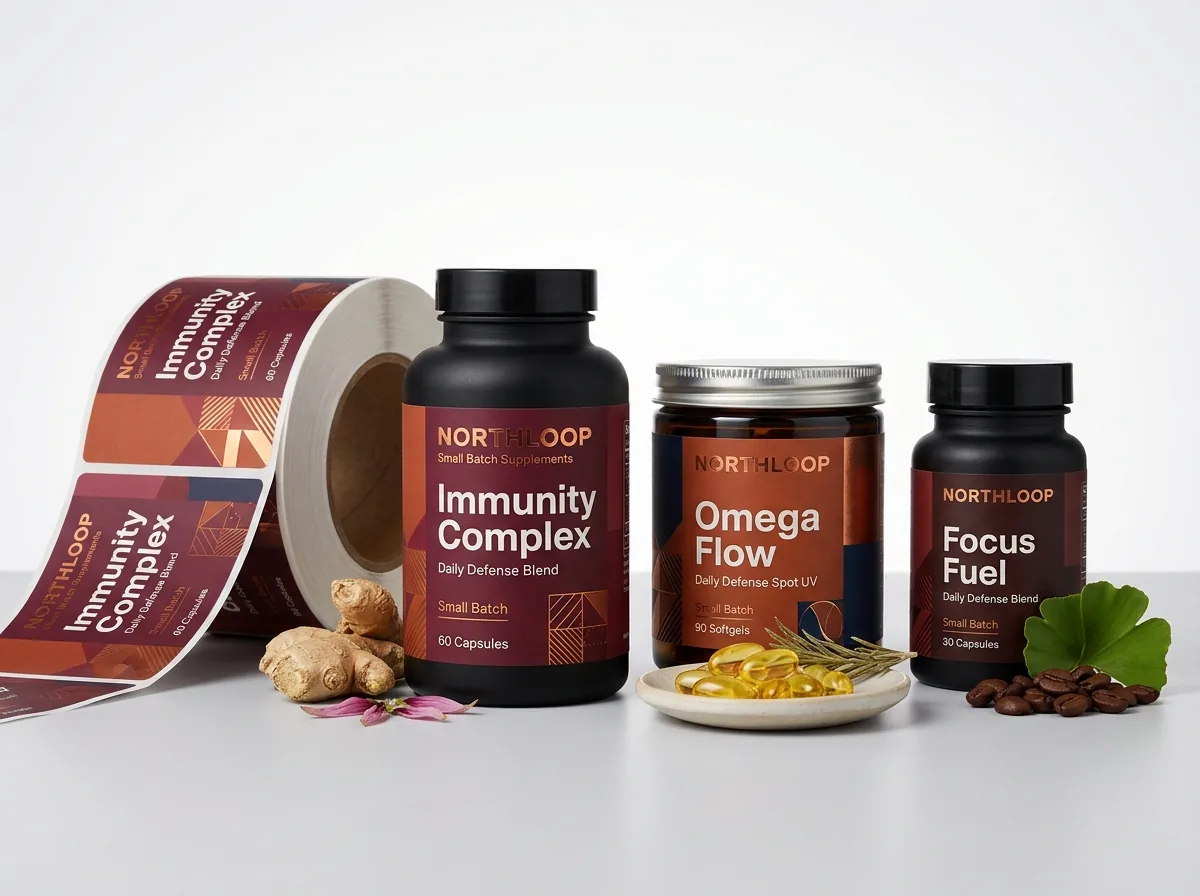
Ready to order supplement labels? Compare up to 3 quantities with a free 3D mockup.
Request a Quote →Questions about supplement labels
Where should the 'Other Ingredients' list sit on a supplement label?
Under 21 CFR 101.4(g), excipient and capsule-shell ingredients that are not listed inside the Supplement Facts table appear immediately below the bottom border of the Supplement Facts box, preceded by the words 'Other Ingredients:' in descending order of predominance by weight.
Why does 4-color black make small Supplement Facts text look blurry?
Four-color rich black prints Cyan, Magenta, Yellow and Black ink dots on top of each other. On 5- to 6-point text, even a tiny press registration tolerance creates a colored edge shadow. Using 100% K-only black uses a single plate for crisp letters.
How big should the LOT and EXP stamp box be on a supplement label?
A white or light-colored rectangle measuring roughly 1.25 × 0.375 inches (or 1.5 × 0.5 inches on large powder tubs) gives most contract packagers plenty of room for a two-line inkjet or thermal-transfer LOT and EXP code.
Should I rotate my barcode vertically on a 120 cc or 150 cc bottle?
Yes. Rotating the UPC or Amazon FNSKU barcode 90 degrees into a vertical ladder orientation keeps the bars flat along the straight vertical wall of the bottle so curvature and overhead glare never block laser scanners.
Does CubitPack provide legal review of my Supplement Facts claims?
No. Your brand or regulatory consultant supplies the legal 21 CFR 101.36 text, nutrient values and disclaimers. Our prepress team checks technical printability (bleed, safe margin, K-only black text and barcode contrast) and prints your approved proof.
Can CubitPack help set up the dieline and white ink layer if I only have a flat design?
Yes. Free design help, custom dielines and white-ink underbase setup are included with every order. Upload your file with your quote request and you will receive a digital proof and 3D mockup before payment.
Still have a question? Ask a packaging specialist.
Request a Quote →Request your supplement labels quote
Tell us your size and quantities, and one dedicated account manager prepares pricing for each tier.
- Free design & AI-to-print studio + 3D mockup
- No die or plate charges · 4–5 day rush available
- Free shipping to all 50 states
- 10% off your first order
This layout guide references publicly available 21 CFR 101.36 dietary supplement panel structure rules, GS1 barcode orientation standards and rotary label prepress practices. Checked by a CubitPack packaging specialist.
Sources
What changed
- October 22, 2026: First published.
- October 22, 2026: Updated specifications, terminology, and verified source links.
More guides
New packaging guides by email
Sizes, materials and design tips. Unsubscribe anytime.