
How do I set up juice bottle label artwork across multiple cold-pressed flavors?
Short answer: Build one master dieline template where your logo, net fluid volume, nutrition box and barcode stay locked in place, and swap only the flavor title, ingredient stack and accent color per SKU. Group all flavors into one quote on custom juice labels to lower your cost per bottle.
On this page
- How do I build one master label template for 6 to 12 juice flavors
- Where do the percent-juice line and unpasteurized warning box go
- How do I design a numbered 1-through-6 juice cleanse system
- How do I set up bleed, white ink layers and AI artwork for press
- How do I lower my unit cost across a multi-flavor juice label order
- Common mistakes
- FAQs
Request a custom quoteFree dieline & 3D mockup
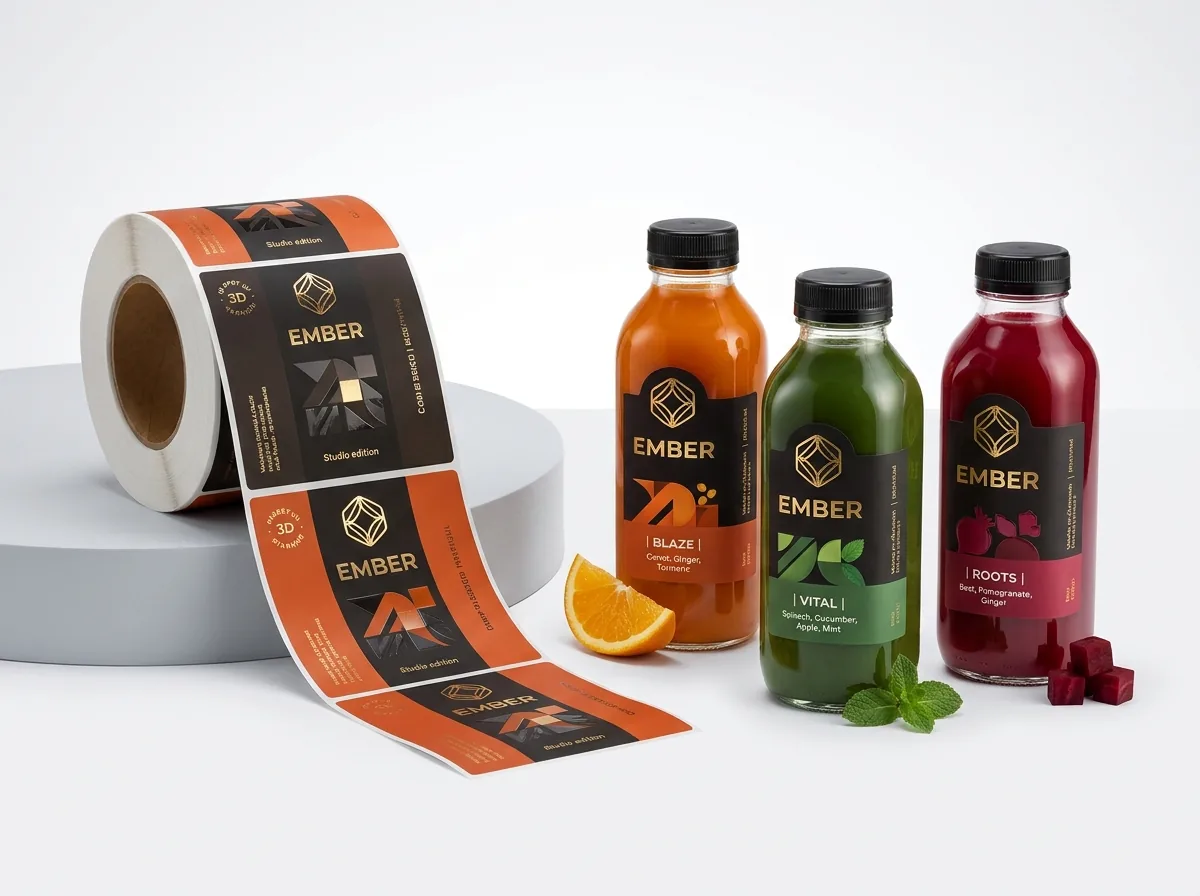
Launching a cold-pressed juice bar, smoothie line or immunity shot menu rarely means printing just one design: most beverage brands roll out four to eight flavors plus a numbered 6-bottle cleanse right from day one. If every flavor uses a different label size or layout, your bottling crew wastes time adjusting guides and your unit printing cost climbs. By locking a single master template (for example, a 2 × 3.5 inch front/back pair on 12 oz square French bottles and a 4.25 × 1.75 inch wrap on 2 oz shots), you create a unified refrigerated shelf block where shoppers scan the flavor name, cold-pressed ingredient stack and cleanse number in one glance. At CubitPack, our prepress team sets up multi-flavor dielines, white ink layers and 3D mockups on custom printed juice labels for free before you pay.
How do I build one master label template for 6 to 12 juice flavors?
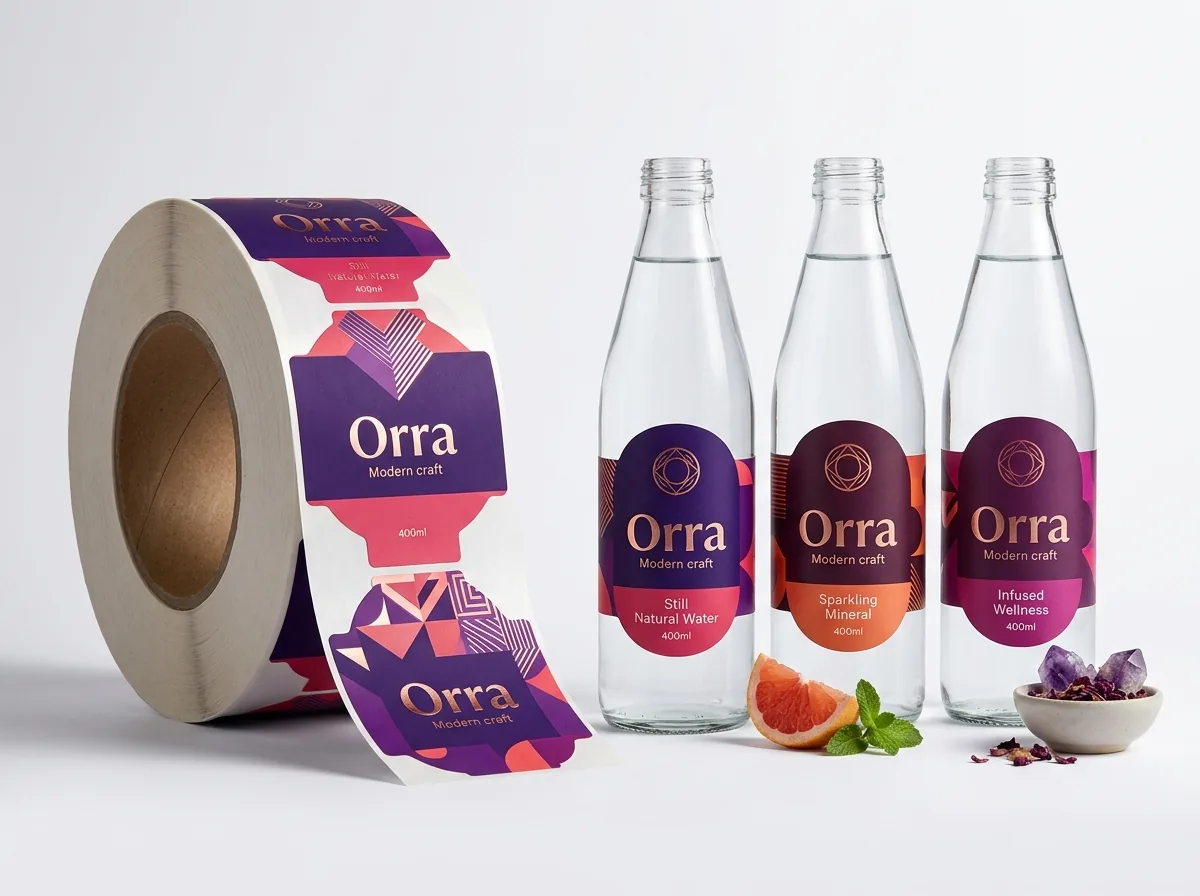
Look at the leading cold-pressed juice lines in any specialty grocer and you will notice strict visual architecture: the brand mark sits at the exact same vertical height on every bottle, the stacked ingredient list uses the same font size and line spacing, and the net volume line anchors the bottom 30% of the front panel. Only the flavor name, cleanse number and Pantone accent band change from Green Detox to Ruby Beet to Golden Citrus. Use the zone table below to structure your master template for 12 oz and 16 oz square French bottles, cylindrical bottles or 2 oz shot wraps. Keeping the exact same outer cut line across every flavor means zero mechanical changeovers on press or on your bottling table.
| Template zone | What stays locked across all SKUs | What changes per flavor |
|---|---|---|
| Top Header Band | Brand logo position, Cold-Pressed / Raw badge | Cleanse order number (01–06) or functional tag (Immunity, Glow) |
| Center Display Zone | Typography grid, alignment and safe margins | Flavor title (e.g., Green Vitality) & stacked ingredient list |
| Bottom 30% of Front (PDP) | Net volume placement (e.g., 12 FL OZ / 355 mL) | Optional color accent bar hiding bottom pulp settling |
| Information Panel (Back/Side) | Nutrition Facts box frame, distributor address, Keep Refrigerated | SKU-specific calorie/nutrient values, % juice line & ingredients |
| Warning & Barcode Strip | Unpasteurized warning box frame & solid white barcode box | Unique 12-digit UPC-A barcode number for each flavor SKU |
| 38 mm Cap Topper (1.25 in) | 1.25 in circle cut line & 0.125 in bleed | Bold cleanse number (1–6) and matching Pantone background color |
Where do the percent-juice line and unpasteurized warning box go?
Fruit and vegetable juice labels carry two layout items that general food labels do not. First, under US FDA rules (21 CFR 101.30), beverages that claim to be juice or show fruit/vegetable imagery must declare the total percentage of juice (such as 100% Juice or Contains 85% Juice) prominently on the Information Panel near the top of the Nutrition Facts box. Second, if your cold-pressed juice is sold raw and unpasteurized without undergoing High Pressure Processing (HPP), UV treatment or thermal pasteurization to achieve a 5-log pathogen reduction, FDA rules (21 CFR 101.17(g)) require a specific warning statement set inside a hairline border box on the information panel, along with a clear Keep Refrigerated statement. Our prepress check verifies that your fine text and bordered boxes remain crisp and legible at print scale.
- Net contents on front panel: declare in fluid ounces and milliliters (e.g., 12 FL OZ (355 mL) or 16 FL OZ (1 PT) 473 mL).
- Percent-juice declaration: place near the top of the Information Panel in type at least as large as the net contents.
- Ingredient list: list every fruit, vegetable, root or spice in descending order of predominance by weight.
- Perishable notice: place Perishable – Keep Refrigerated clearly on the front or information panel.
How do I design a numbered 1-through-6 juice cleanse system?
Many cold-pressed juice bars sell the exact same bottle both as an individual grab-and-go drink and as Step 1, Step 2 or Step 3 of a daily juice cleanse. Printing two separate rolls of body labels for the same green juice (one with a big number 1 on the front and one without) doubles your SKU count unnecessarily. The smartest way to handle cleanse kits is to keep your body wrap or front panel universal for retail and cafe sales, and apply a 1.25 inch round custom circle labels topper onto the 38 mm plastic cap printed with bold numbers 1 through 6. When a customer opens their insulated delivery box or looks down into a deep refrigerated chest cooler, the numbered cap stickers tell them the exact drinking order from above.
Know your size? Compare pricing across up to 3 quantities.
Request a Quote →How do I set up bleed, white ink layers and AI artwork for press?
Whether you build your artwork in Adobe Illustrator, Canva or with an AI illustration generator, three prepress rules guarantee a clean press run. First, extend all background colors and patterns ⅛ inch (0.125 in) outside the cut line as bleed, and keep all text and borders at least ⅛ inch inside the cut line in the safe zone. Second, on narrow 2 oz wellness shot bottles (1.35 to 1.5 in diameter), rotate your UPC barcode 90 degrees vertically into a ladder orientation so the bars lie flat along the straight wall. Third, if you are printing on custom clear labels, tell our team which elements should print in opaque white ink and which colored graphics need a white ink underbase behind them so dark green or beet juice does not show through. If you generated botanical fruit illustrations with AI, send them through our Print your AI design service: we upscale the art, rebuild all small nutrition and ingredient text in crisp vector fonts, and create the white-ink mask for free.
How do I lower my unit cost across a multi-flavor juice label order?
Four main factors determine your custom juice label quote: label dimensions (width × height), total quantity across the run, material stock (clear or foil vs standard opaque stock), and finishes (matte, gloss, foil stamping or spot UV). Because press setup spreads across the total quantity, grouping six flavors of 500 or 1,000 labels each on the exact same dieline size gives you a much better price per bottle than ordering mismatched sizes one by one. In Step 2 of our quote form, select 2 designs or 3+ designs, enter up to three quantity tiers (such as 500, 1,000 and 2,500) to compare volume breaks, and list your flavor count in the notes. If you also pack cleanse kits or 4-pack carriers, we can match your Pantone label colors to custom juice boxes with free shipping to all 50 US states.
- Standardize bottle sizes: keep all 12 oz flavors on one 2 × 3.5 in or 7.5 × 3.25 in dieline.
- Zero die or plate fees: custom arches, rounded corners and cap circles have no tooling cost.
- Free 3D mockups: review every flavor mapped onto your bottle before completing payment.
- First-order & price-beat perks: get 10% off your first order, and we beat any written US competitor quote.
What are the most common juice label artwork mistakes?
Multi-flavor beverage runs move fast once the master grid is right. Check these five prepress details before sending your files
- Using slightly different width × height dimensions across flavors that all go on the same 12 oz bottle, preventing a shared dieline.
- Listing net contents in dry weight ounces (oz / g) instead of liquid fluid ounces and milliliters (FL OZ / mL) on a beverage bottle.
- Forgetting to specify an opaque white ink underbase behind colored fruit icons and barcodes on a clear juice label.
- Leaving horizontal picket-fence barcodes on narrow 2 oz shot bottles where the tight cylinder curve blocks scanner beams.
- Submitting rasterized 72 DPI screenshots of Nutrition Facts panels instead of crisp vector text or 300 DPI print PDFs.
Find your label size
Suggested label size: 9⅛ × 2¾ in (width × height)
A typical starting point. Your account manager confirms the size on the proof.
Quote this size →Packaging for this
Ready to order juice labels? Compare up to 3 quantities with a free 3D mockup.
Request a Quote →Questions about juice labels
Do I have to create the white ink layer myself for clear juice labels?
No. If you already know how to set a spot-color White_Ink layer in Adobe Illustrator, you can include it, but if you are designing in Canva or Photoshop, our prepress team builds the opaque white ink layer and solid barcode box for free on your digital proof.
How do I write the fluid ounce and milliliter line on a 12 oz or 16 oz juice bottle?
Place the net quantity statement in the bottom 30% of the front Principal Display Panel in both US fluid ounces and metric milliliters. For example, write 12 FL OZ (355 mL) on a 12 oz bottle, 16 FL OZ (1 PT) 473 mL on a 16 oz bottle, and 2 FL OZ (60 mL) on a wellness shot.
How many juice flavors can I combine in one custom label order?
You can include as many flavors as your menu needs. Select 2 designs or 3+ designs in Step 2 of the quote form and list each flavor name and quantity in the notes so your account manager quotes the entire multi-flavor run together.
Can CubitPack help me lay out my Nutrition Facts and ingredient stack for free?
Yes. Free design help is included with every order. Send us your logo, flavor names, ingredient stacks and nutrition numbers, and our designers will build the master template and send a digital proof and 3D mockup before you pay.
Should I use CMYK or Pantone colors for my flavor bands?
We offer both full-color CMYK printing and guaranteed Pantone color matching. If your brand uses specific signature shades for each flavor or wants bottle labels to match printed cleanse boxes, specify your Pantone codes on the quote.
How long does a multi-flavor juice label order take to produce?
Standard production takes 10–14 business days after you approve the digital proofs for all flavors and complete payment. Rush production in 4–5 business days is available for launch deadlines, and standard shipping is free to all 50 US states.
Still have a question? Ask a packaging specialist.
Request a Quote →Request your juice labels quote
Tell us your size and quantities, and one dedicated account manager prepares pricing for each tier.
- Free design & AI-to-print studio + 3D mockup
- No die or plate charges · 4–5 day rush available
- Free shipping to all 50 states
- 10% off your first order
This prepress guide combines FDA 21 CFR 101.30 (% juice) and 101.17(g) layout conventions, GS1 US barcode orientation standards for beverage bottles, and CubitPack's ⅛ inch bleed and white-ink underbase prepress workflow. A packaging specialist checked every step. Spot something wrong? Tell us and we will fix it.
Sources
What changed
- October 22, 2026: First published.
- October 22, 2026: Updated specifications, terminology, and verified source links.
More guides
New packaging guides by email
Sizes, materials and design tips. Unsubscribe anytime.