
How do I design custom smart watch boxes with magnetic puck trays and watch-face renders?
Short answer: Combine a recessed sensor cradle and locked magnetic puck well inside the box with a 1:1 gloss Spot UV watch-face render on a matte outer lid and an unvarnished eSIM/MAC barcode zone on the base. Every order of custom smart watch boxes includes free structural dielines and design help.
On this page
- How do you engineer an insert that locks down the magnetic charging puck and rear sensor
- What belongs on each panel of a retail smartwatch or fitness tracker box
- How do you set up a registered Spot UV mask over a 1:1 smartwatch dial render
- How should you prepare bottom barcode zones for Bluetooth MAC, serial and LTE eSIM labels
- What drives the cost of custom smart watch boxes and how can you save across colorways
- Common mistakes
- FAQs
Request a custom quoteFree dieline & 3D mockup
Designing packaging for a connected smartwatch requires solving both an internal mechanical puzzle and an external retail merchandising puzzle. Inside the box, you have to hold a glass-faced watch head with a convex rear heart-rate sensor dome completely level while locking down a magnetic inductive charging puck so its permanent ring magnet cannot snap against the watch case during transit drops. Outside the box, your front panel has to make a digital AMOLED dial look vivid on a store shelf, while the back and bottom panels organize wrist-size millimeter rulers, water-resistance badges (5ATM / IP68), companion app pairing QR codes and unvarnished thermal sticker zones for Bluetooth MAC, serial and cellular LTE eSIM barcodes. Below is the complete structural and prepress playbook our design team use when building printed smart watch boxes and replacement band sleeves at CubitPack, with free dielines and no die charges.
How do you engineer an insert that locks down the magnetic charging puck and rear sensor?
The number-one cause of transit scratches in wearable packaging is an unrestrained magnetic charging disc. Because an inductive smartwatch puck contains a neodymium ring magnet designed to snap onto the watch back, dropping the puck loose into a lower cable compartment allows parcel vibration to pull the hard plastic or aluminum disc right up against the watch lugs or crystal. We prevent magnetic migration by engineering a two-part custom cardboard insert or EVA foam insert. The upper deck holds the watch head with a 22 to 28 mm center relief hole so the convex PPG heart-rate and SpO2 glass dome hangs free without pressure. The lower deck features a die-cut circular socket with locking side tabs that trap the charging puck in place at least 1.5 inches away from the watch head, plus a winding channel for the braided USB-C cord.
- Rear sensor relief hole: die-cut a circular opening under the watch case so the protruding optical biosensor dome sits 2 to 3 mm below the tray floor.
- Locked magnetic puck socket: friction-fit the charging disc into a dedicated circular well with fold-over paperboard tabs or a 0.375-inch foam collar.
- Thumb-notch lift cutouts: add two 0.6-inch half-moon finger notches beside the watch bezel so the customer never has to pull on the silicone strap to remove the watch.
- S/M + M/L band portfolio: tuck a flat folded card envelope beneath the upper cradle to keep the spare strap half and regulatory leaflet crisp.
- Screen protector peel tab clearance: leave 0.125 inch of top headspace above the bezel so the clear protective display film pull tab stays flat without folding over.
What belongs on each panel of a retail smartwatch or fitness tracker box?
Shoppers comparing wearables in a store or scrolling online look for four things in under five seconds: what the watch face looks like lit up, what millimeter case size and wrist range are inside, which health sensors and water ratings are included, and whether it works with iOS and Android. Use this six-panel merchandising map when laying out artwork on your free vector dieline for custom smart watch boxes.
| Carton panel or zone | Essential graphics & technical specs | Recommended finish or prepress rule |
|---|---|---|
| Front lid / main face | 1:1 watch render with active AMOLED dial, brand logo, model & case size (45 mm) | Matte or soft-touch film + registered Spot UV on screen |
| Left & right side spines | 1:1 side profile showing case thickness, crown button & true strap color bar | Pantone (PMS) color bar matched to silicone strap |
| Back spec & sensor panel | 4-6 sensor icons (ECG, SpO2, Dual-Band GPS, 5ATM, Battery days) + box contents | Vector line icons + 7 pt high-contrast spec text |
| Wrist-size fit guide (back) | Millimeter wrist range (e.g., S/M 130-180 mm, M/L 150-200 mm) + lug width | Clear diagram so buyers pick the right size SKU |
| Bottom compliance & serial panel | UPC barcode, FCC ID, RoHS, battery mark + IMEI / eSIM EID / MAC sticker box | Knock out lamination in the serial sticker rectangle |
| Inside top lid or tray flap | 3-step charge & turn-on guide + companion app download QR code | High-contrast CMYK inside print (0.75 in min QR) |
How do you set up a registered Spot UV mask over a 1:1 smartwatch dial render?
Nothing sells a smartwatch on a retail shelf faster than a front-panel graphic that looks like a real glowing OLED display set into a brushed metal or matte case. Printing the entire carton in gloss lamination makes the silicone strap and background look overly shiny, while printing the entire carton in matte lamination dulls the vibrancy of the watch face. The solution is a contrast finish: wrap the carton in glare-free matte lamination or velvety soft-touch lamination, then apply registered Spot UV strictly over the circular or squircle watch crystal and the 1:1 side-profile screen edge. In your Adobe Illustrator file, place the vector shape of the watch crystal on a separate non-printing layer named SPOT_UV set to 100% K (black) overprint. You can also add foil stamping in titanium silver or rose gold around the bezel ring to mirror the actual case metal. For replacement watch band sleeves, you can apply the same registered Spot UV technique over the metal buckle clasp and pin graphic while leaving the printed silicone or woven nylon strap in soft-touch lamination so the texture feels natural in the shopper's hand.
Know your size? Compare pricing across up to 3 quantities.
Request a Quote →How should you prepare bottom barcode zones for Bluetooth MAC, serial and LTE eSIM labels?
Every connected watch carries unique radio identifiers that are applied at the end of the hardware assembly line on a thermal-transfer sticker: the unit serial number, the Bluetooth MAC address, and (on cellular models) the 15-digit IMEI and 32-digit eSIM EID barcodes. Retailers scan these barcodes at checkout to activate warranty coverage and cellular plans. If the assembly line applies that thermal sticker directly over soft-touch lamination or heavy UV varnish, the adhesive can lift at the corners. Share your assembly line's label dimensions (typically 1.75 × 1.0 inches or 2.25 × 1.25 inches) and we will mask out the lamination and varnish inside a crisp alignment rectangle on the bottom panel. If you also need tamper-evident security across the tuck flaps or telescope lid split, pair the box with custom seal stickers or custom QR code stickers.
What drives the cost of custom smart watch boxes and how can you save across colorways?
Four factors drive unit cost on wearable packaging: carton structure (a folding carton starting at 1,000 units costs significantly less than a pre-assembled rigid box starting at 50 units), insert complexity (a one-piece folded paperboard cradle costs less than multi-layer die-cut EVA foam), specialty finishes (Spot UV and foil stamping passes), and total order quantity. If you offer your watch in four band colors, you do not have to print four separate runs from scratch. We can gang-run your Midnight, Starlight, Sage and Terracotta folding cartons on the same press sheet so you reach the 2,500 or 5,000-unit tier faster, with 10% off your first order, zero die or plate charges, and free shipping across all 50 US states. You can also save the cost of a multi-page paper instruction booklet by printing your 3-step charge, turn-on and Bluetooth pairing diagram directly on the inside of the top lid or on the top face of the folded S/M and M/L strap portfolio. Every order includes a free vector dieline for both the outer carton and internal puck and strap insert, free design support from our prepress team, and a full-color digital proof and 3D mockup to review before paying.
What are the most common smart watch box design and prepress mistakes?
Check your artwork and insert dieline against these five wearable prepress mistakes before approving your 3D proof
- Extending Spot UV over the silicone watch strap graphic instead of restricting it to the glass watch face, which makes the strap look like hard plastic.
- Applying soft-touch lamination over the bottom serial, MAC and LTE eSIM barcode rectangle so assembly-line thermal stickers peel off.
- Printing dark greywatch UI graphics on a black dial without boosting screen contrast, causing the watch face to look dim on shelves.
- Omitting wrist-circumference millimeter ranges (such as 130-200 mm) and lug widths (20 mm or 22 mm) on the back panel.
- Leaving the companion app pairing QR code on a loose paper scrap instead of printing it inside the top lid or on the band portfolio.
Find your size
Suggested inside size: 2.5 × 0.625 × 7.25 in
A starting point. Your account manager confirms the size with you before the proof.
Quote this size →Packaging for this
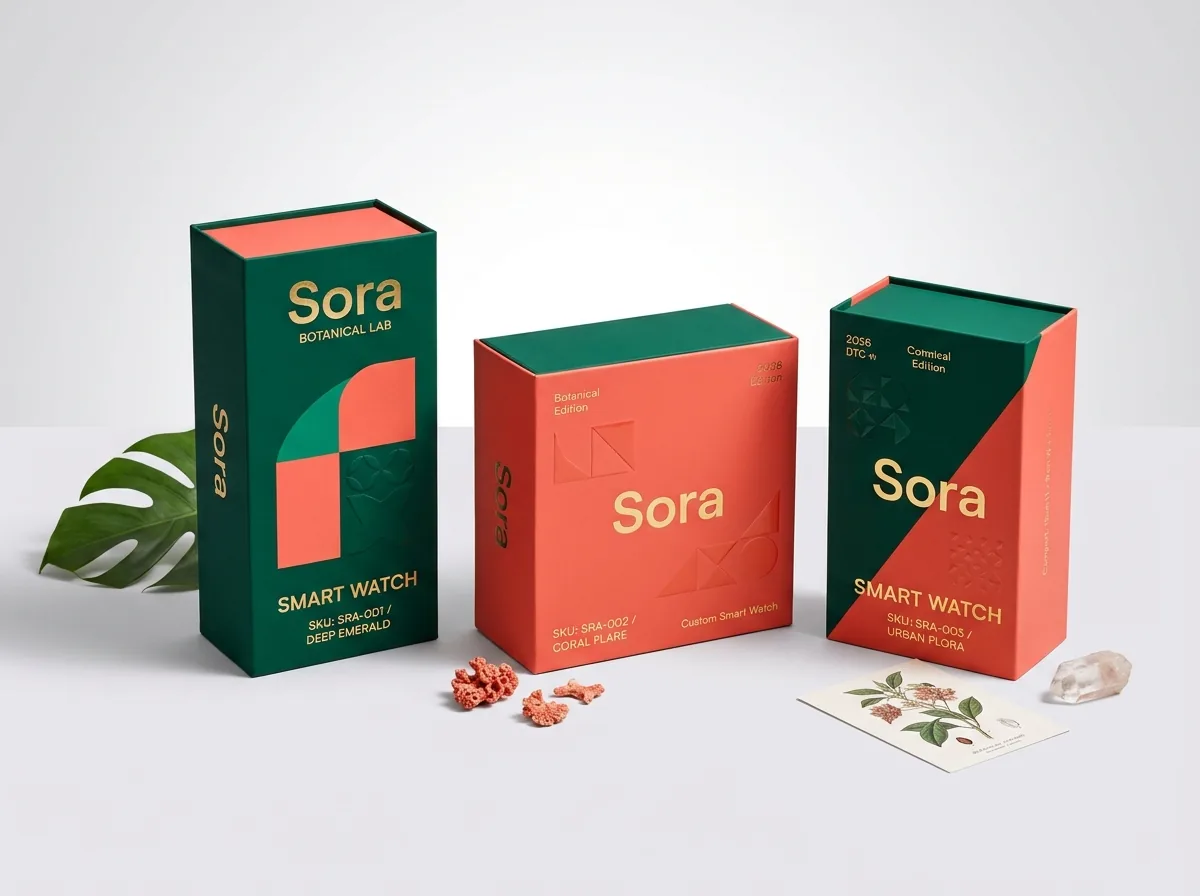
Ready to order smart watch boxes? Compare up to 3 quantities with a free 3D mockup.
Request a Quote →Questions about smart watch boxes
Can your designers help set up the Spot UV layer for our smartwatch screen graphic?
Yes. Design help is free with every CubitPack order. Send us your product photo or 3D watch render and logo, and our prepress team will create the vector Spot UV dial mask and send a digital proof and 3D mockup before payment.
How do you show the true strap color on the outside of a closed smart watch box?
Two popular methods are printing a Pantone-matched color bar or 1:1 side-profile strap graphic along the long side spine of the box, or die-cutting a small inspection window on replacement band cartons.
Can we print our companion app QR code and pairing steps inside the box lid?
Yes. Inside printing is available on both folding cartons and rigid boxes. Printing a 3-step charge-and-pair diagram with a scannable app QR code inside the lid gives users an immediate onboarding path when they open the box.
Should we use a paperboard insert or an EVA foam insert for our smartwatch?
Use a contoured folded paperboard cradle for a 100% curbside paper-recyclable presentation that ships flat and keeps unit costs low. Choose die-cut EVA foam when packing heavy titanium multisport watches or rigid presentation boxes.
Do you charge plate or die fees if we split our order across multiple strap colors?
No. CubitPack never charges die or plate fees. When your different colorway boxes share the exact same dieline dimensions, we can gang-run your artwork versions together efficiently.
How fast can you produce custom printed smart watch boxes with inserts?
Standard production takes 10 to 14 business days after you approve your digital proof and 3D mockup and complete payment. Rush production in 4 to 5 business days is available on request, and US shipping is free.
Still have a question? Ask a packaging specialist.
Request a Quote →Request your smart watch boxes quote
Tell us your size and quantities, and one dedicated account manager prepares pricing for each tier.
- Free design & AI-to-print studio + 3D mockup
- No die or plate charges · 4–5 day rush available
- Free shipping to all 50 states
- 10% off your first order
This design guide combines CubitPack's prepress standards and decided facts from our published product specifications with FCC wearable labeling rules and retail barcodes best practices. A packaging specialist reviewed every step, and we refresh this guide. Spot an error? Tell us and we will fix it.
Sources
What changed
- October 22, 2026: First published.
- October 22, 2026: Updated specifications, terminology, and verified source links.
More guides
New packaging guides by email
Sizes, materials and design tips. Unsubscribe anytime.