
How do I design custom mylar bags with a clear window?
Short answer: To design custom mylar bags with a window, create a dedicated spot-color layer named WHITE_INK on your vector dieline that covers every printed area and leaves your window shape 100% empty. Add a 1/16 inch solid color border around the window rim so CMYK inks register cleanly without bleeding into the clear zone.
On this page
- How does the white ink knockout layer work on a window mylar bag dieline
- What are the prepress specs for each zone of a window pouch dieline
- How can I use custom-shaped windows without paying cutting-die fees
- How do I make sure my pouch colors contrast with the product inside the window
- How can I lower unit cost across multiple window mylar bag flavors
- Common mistakes
- FAQs
Request a custom quoteFree dieline & 3D mockup
Designing a printed mylar bag with a clear window comes down to controlling the opaque white ink underbase layer. Because the pouch is printed on transparent high-barrier film, any CMYK color printed without a white ink backing looks like translucent stained glass, and any area left completely free of both white ink and CMYK becomes your crystal-clear product window. On your Illustrator dieline, build three stacked artwork layers: the DIELINE template on top, your full-color CMYK_ART layer in the middle, and a spot-color WHITE_INK layer underneath. Choke the white ink edge 0.015 inches inside dark borders or wrap a bold 1/16 inch stroke around the window perimeter so press registration tolerances never show a white halo around the clear cutout. At CubitPack, our prepress team sets up your white ink knockout layer, custom dieline and 3D mockup for free before payment.
How does the white ink knockout layer work on a window mylar bag dieline?
When printing on white paperboard, the stock itself provides brightness and opacity. When printing custom window mylar pouches, the substrate is crystal-clear multi-layer barrier film. To make your brand colors look solid and vibrant while leaving the viewing window transparent, the press lays down an opaque white ink layer everywhere except your window shape. In Adobe Illustrator, you control this by creating a separate layer named WHITE_INK filled with a 100% cyan or magenta spot swatch set to "Overprint Fill." Wherever the WHITE_INK shape is present, the bag is opaque and solid. Wherever you punch a hole (compound path knockout) out of both the WHITE_INK layer and the CMYK_ART layer, the film stays 100% transparent. You can even print semi-transparent CMYK graphics without white ink over a corner of the window to create a stained-glass tint or printed measurement ruler directly over the clear zone.
- 100% White Ink + CMYK Art: produces solid, non-see-through brand colors and legible nutrition text.
- 0% White Ink + 0% CMYK Art: leaves a 100% crystal-clear viewing window into the pouch interior.
- 0% White Ink + CMYK Art only: creates a translucent tinted overlay over the clear window (great for measurement tick marks or subtle badges).
- 0.015 in (0.4 mm) White Choke / Frame: pulling white ink slightly back behind a dark CMYK window frame prevents a sliver of white ink from peeking into the clear window.
What are the prepress specs for each zone of a window pouch dieline?
Before sending your artwork file (or letting our free design team build the white-ink mask for you), verify that every panel on your stand-up or flat pouch follows the layer and clearance rules in the table below.
| Dieline zone | White ink underbase | CMYK artwork rule | Required safety margin |
|---|---|---|---|
| Main printed body | 100% double-hit opaque white | Full CMYK + Pantone spot colors; extend ⅛ in past outer cut lines | Keep text ¼ in inside outer cut lines |
| Clear front window | 0% (knocked out completely) | 0% CMYK inside clear area; add 1/16 in solid frame around perimeter | ≥ 1 in above bottom edge; ≥ ½ in from side edges |
| Window perimeter choke | Choked 0.015 in (0.4 mm) back under dark frame | Solid vector stroke straddling the white-ink boundary | Prevents white halo along window rim |
| Top zipper & seal header | 100% white ink under background | Background color only; keep logos out of top 1.5 in | Tear notches and heat seal crimp this zone |
| Bottom W-gusset panel | 100% white ink (or left clear on request) | Solid color or repeat pattern; no UPC barcode across center fold | Gusset folds inward when flat |
| Back UPC barcode box | 100% opaque white ink | 100% black bars on white box (min 1.25 × 0.8 in) | Place on flat upper-middle back panel |
How can I use custom-shaped windows without paying cutting-die fees?
On a paperboard box, a custom window shape requires a custom steel-rule cutting die and a window-patching machine setup. On clear barrier film custom mylar bags and custom stand-up pouches, your window is formed purely by ink placement. That means a custom silhouette costs the exact same as a plain rectangle, with zero die or plate charges at CubitPack. Take advantage of this by turning your product or brand icon into the window itself. A gummy brand can reveal sour chews through a cloud or fruit silhouette; a pet treat brand can use a dog bone or paw outline; a bath salt brand can use an apothecary droplet or arch. You can also place a narrow vertical clear strip with printed ounce graduations on the back panel so customers can see how many scoops remain inside. Just keep interior corners rounded to at least a ⅛ inch radius so the surrounding white-ink frame looks smooth and clean.
Know your size? Compare pricing across up to 3 quantities.
Request a Quote →How do I make sure my pouch colors contrast with the product inside the window?
A clear window becomes invisible from six feet away if the printed bag color around it matches the color of the food inside. Dark brown beef jerky or chocolate chunks disappear inside a window framed by dark espresso brown ink, and pale yellow banana chips wash out inside a cream-colored pouch. Pick an exterior background or window-frame color that sits opposite your product's natural tone on the color wheel or contrasts strongly in brightness. Dark roasted nuts, jerky and chocolate cookies pop inside warm cream, sage green or terracotta bags. Brightly colored sour gummies, freeze-dried berries and pastel bath salts stand out inside deep forest green, matte charcoal or royal purple pouches. You can also print a contrasting ⅛ inch frame around the window rim to separate the product from the background pattern.
- Dark fills (beef jerky, dark chocolate, roasted coffee beans, black tea): frame with light cream, sage, pastel lilac or bright citrus colors, or add a metallic silver foil back panel.
- Light / neutral fills (oats, banana chips, white bath salts, cashew nuts, dog biscuits): frame with deep forest green, navy, burgundy or rich matte purple.
- Multi-color fills (rainbow gummies, trail mix, dried fruit medleys): frame with a clean solid neutral or a bold dark border so the window doesn't look busy.
How can I lower unit cost across multiple window mylar bag flavors?
Every time you launch a multi-flavor line of custom snack pouches or pet treats, keeping the exact same outer Width × Height × Bottom Gusset across every SKU lets us group your order into a single production run. Because ink-knockout windows are part of the print artwork, you can still give Strawberry, Mango and Blueberry their own custom fruit-shaped window outlines on the same bag size without paying a cent in die or plate charges. If you only have a flat logo or rough sketch, or if you made a concept with an AI image tool, send it with your quote. Our designers will convert your artwork into a print-ready vector dieline, build the WHITE_INK knockout layer, and send a free 2D digital proof and 3D mockup before you pay. We also offer a $50 sample kit and paid custom printed samples, both credited toward your full order.
- Standardize W × H × G across all flavors to unlock multi-SKU run pricing.
- Customize the ink-knockout window shape per flavor at zero die or plate cost.
- Use our free design help to build the spot-white underbase and choke border.
- Claim 10% off your first order, or use our price-beat guarantee on any written US competitor quote for the same specs.
What are the most common artwork mistakes on window mylar bags?
Our prepress specialists check every file before printing and fix these five window artwork errors on your free proof
- Forgetting to knock the window shape out of the WHITE_INK spot layer, which prints solid white ink right over the intended clear window.
- Leaving the window edge without a 0.015 inch white-ink choke or solid CMYK border stroke, allowing a thin white sliver to show along the window rim.
- Placing fine ingredient text or a UPC barcode over a clear or semi-transparent area where product texture behind the film makes the barcode un-scannable.
- Framing a dark product (like beef jerky or dark chocolate) with a dark black or brown bag background so the window blends in from shelf distance.
- Putting the clear window in the upper half of the bag where the resealable zipper track and empty post-shipping headspace sit.
Packaging for this
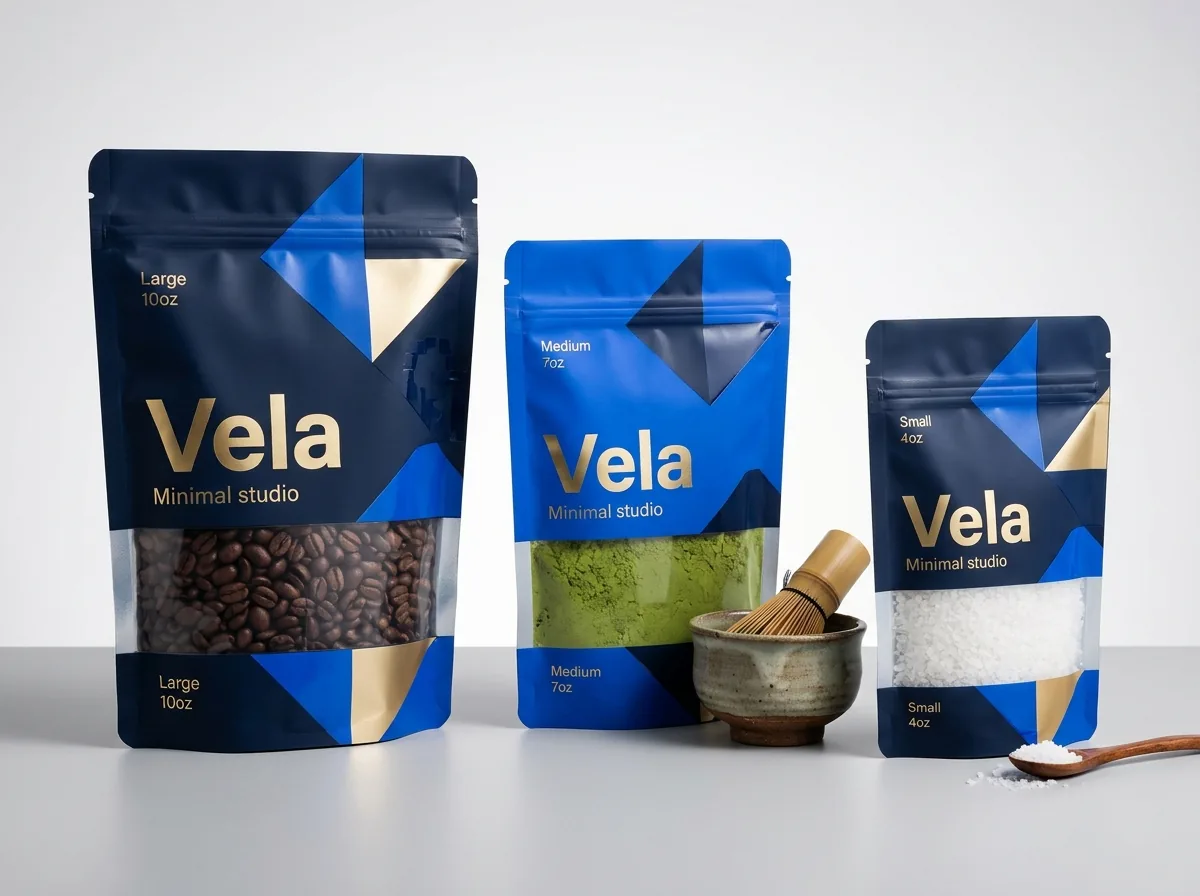
Ready to order mylar bags with window? Compare up to 3 quantities with a free 3D mockup.
Request a Quote →Questions about mylar bags with window
Do I have to build the white ink knockout layer myself?
No. While your designer can include a WHITE_INK spot layer in Illustrator, our prepress team is happy to build the white underbase, 0.015 inch choke and window knockout for free from your standard artwork or logo, and show you the result on your 2D proof and 3D mockup.
Can I print a logo or measurement lines directly on top of the clear window?
Yes. Any graphic placed on the CMYK_ART layer with 100% WHITE_INK directly behind it will print solid right inside the clear window, which is great for floating flavor badges or fill-level tick marks.
What file format should I upload for a window mylar bag?
Vector PDF, AI (Adobe Illustrator) or EPS files with outlined fonts and embedded 300 DPI images are ideal. If you only have a PNG, Canva layout or AI-generated image, our free design help team will rebuild it into a print-ready vector dieline.
Can I combine metallic foil highlights and a clear window on the same bag?
Because a single-web window pouch uses clear barrier film rather than metallized film, metallic accents on the front panel are created either with hot foil stamping or by choosing a two-web clear-front / metallized-back pouch.
How do you guarantee my brand colors look accurate on clear barrier film?
We print a high-opacity white ink underbase beneath all solid colors and guarantee Pantone color matching on every order. You also receive a free digital proof and 3D mockup before payment, and can order a paid printed sample credited to your full run.
Are there any die or plate fees for intricate window shapes?
Never. CubitPack charges zero die or plate fees on custom mylar bags with a window, even if every SKU in your order uses a different custom window silhouette.
Still have a question? Ask a packaging specialist.
Request a Quote →Request your mylar bags with window quote
Tell us your size and quantities, and one dedicated account manager prepares pricing for each tier.
- Free design & AI-to-print studio + 3D mockup
- No die or plate charges · 4–5 day rush available
- Free shipping to all 50 states
- 10% off your first order
The artwork layer rules, white-ink choke tolerances (0.015 in / 0.4 mm) and barcode contrast guidelines in this guide come from our flexible packaging prepress checklist. A CubitPack packaging specialist reviewed every step. Spot something wrong? Tell us and we will fix it.
Sources
What changed
- October 22, 2026: First published.
- October 22, 2026: Updated specifications, terminology, and verified source links.
More guides
New packaging guides by email
Sizes, materials and design tips. Unsubscribe anytime.