
How do I design prong-guard inserts and wattage spec panels for custom charger boxes?
Short answer: Build a folded paperboard cradle with a recessed double-wall baffle around fixed AC prongs, separate the USB-C cord in a lower well, and print a visual port-split wattage diagram on the side panel. Every order of custom charger boxes from CubitPack includes free insert dielines and prepress review.

On this page
- How do folded paperboard inserts guard fixed AC prongs without plastic blister trays
- Which technical specs and diagrams belong on each panel of a charger box
- Why does every multi-port GaN charger box need a visual port-split diagram
- How do I keep 5-point PDO/PPS voltage tables and UL/FCC safety marks razor-sharp
- How do you set up registered Spot UV over the charger render and USB-C ports
- Common mistakes
- FAQs
Request a custom quoteFree dieline & 3D mockup
Great charger packaging solves two problems at the same time: physical prong and scuff protection inside the carton, and instant wattage clarity on the outside panels. Inside the box, a dense GaN power brick with fixed metal AC blades or bundled metal-tipped USB-C cords will puncture thin outer walls or scratch its own matte shell unless a die-cut paperboard or EVA foam cradle locks each part in its own chamber. Outside the box, buyers comparing a 30W cube against a 100W 3-port GaN brick want to see maximum wattage on the front, a visual port-split diagram on the side showing how watts divide when multiple devices plug in, and crisp vector PDO/PPS electrical tables and UL/ETL/FCC safety icons on the back. When you order printed charger boxes from CubitPack, our structural and prepress teams engineer both the insert dieline and the artwork layers for free.
How do folded paperboard inserts guard fixed AC prongs without plastic blister trays?
Major mobile and laptop accessory brands have largely phased out clear PVC and PET thermoformed blister trays in favor of 100% paperboard inserts that customers can recycle curbside along with the outer box. The key to designing a plastic-free charger insert is supporting the adapter by its plastic shoulders rather than letting it rest on its metal AC blades. Our design team create a one-piece folded custom cardboard insert with a precision die-cut window matched to your charger body and two 0.6-inch half-moon thumb notches on the sides. When the adapter has fixed US NEMA, EU Europlug or UK BS 1363 pins, the insert folds a double-wall paperboard baffle around the prongs, holding the metal tips 0.25 inch away from the outer carton wall.
- Shoulder suspension: the top tray deck grips the adapter housing so zero downward weight rests on the AC blades.
- Recessed prong baffle: a folded double-wall card channel shields fixed US, UK or EU metal pins from piercing the box.
- False-bottom cable well: a 0.625 to 1.0 in lower compartment stores a coiled USB-C cable and safety sheet out of sight.
- Regional plug modularity: swap only the inner paperboard cradle for US, UK and EU SKUs while keeping one outer carton size.
- EVA foam upgrade: for heavy 200W desktop stations or 3-in-1 magnetic stands, step up to a die-cut EVA foam cradle.
Which technical specs and diagrams belong on each panel of a charger box?
A charger carton has six outer panels plus the inside lid, and crowding every voltage line onto the front panel makes the box look cluttered and cheap. Instead, follow the consumer power-electronics hierarchy: put the buying hook (wattage, GaN badge and 1:1 port photo) on the front, the multi-port power-sharing diagram on the left or right side, and the detailed electrical rating table and regulatory marks on the back or bottom. Use the panel-by-panel layout table below when setting up artwork on your free dieline for custom USB-C charger boxes.
| Carton panel | Primary information to display | Recommended print & finish setup |
|---|---|---|
| Front panel | Brand logo, 1:1 charger render showing ports, max wattage badge (65W / 100W / 140W GaN) | Matte lamination + Spot UV on brick & ports + foil wattage badge |
| Right side panel | Visual port-split wattage diagram (1-port solo vs 2-port and 3-port combined output) | Clean vector silhouettes of laptop, tablet, phone & earbuds with watt callouts |
| Left side panel | Key feature icons (GaN thermal control, folding prongs, PD 3.1 / PPS, included cable length) | 3 to 4 crisp vector icons with 2-word captions |
| Back panel | Full input/output electrical table (V/A per PDO & PPS step), device compatibility, box contents | High-contrast 5.5 to 7 pt sans-serif text (100% black on white or pure white on dark) |
| Bottom / back lower zone | UL / ETL / FCC / CE / DOE Level VI / WEEE symbols, UPC-A barcode, lot/serial sticker box | Vector compliance marks + unvarnished white rectangle for barcodes |
| Inside top lid or tray flap | Fast-charge cable tip (e.g., use Port C1 + 100W E-Marker cord for laptops) & warranty QR code | Inside CMYK or 1-color print that replaces a separate quick-start card |
Why does every multi-port GaN charger box need a visual port-split diagram?
The number-one cause of 1-star reviews and product returns on 2-port, 3-port and 4-port USB-C chargers is customer confusion over dynamic power allocation. A buyer sees '100W GaN Charger' on the front of the box, plugs a laptop into USB-A or the bottom USB-C port while charging a phone, and wonders why the laptop only receives 30W or 45W. Solve that problem before the box is even opened by printing a clean visual port-split matrix on the side panel or inside the lid. Draw the ports labeled C1, C2 and A1 alongside simple device icons showing exact watt splits for 1-Port Mode (e.g., C1 = 100W), 2-Port Mode (C1 = 65W + C2 = 35W) and 3-Port Mode (C1 = 45W + C2 = 30W + A1 = 18W). Adding a short note reminding buyers to use a 100W or 240W E-Marker cable for full laptop speed prevents false warranty claims.

Know your size? Compare pricing across up to 3 quantities.
Request a Quote →How do I keep 5-point PDO/PPS voltage tables and UL/FCC safety marks razor-sharp?
Switching power supplies carry dense electrical ratings on the back panel: AC input range (100-240V ~ 50/60Hz), fixed USB Power Delivery (PDO) steps (5V⎓3A, 9V⎓3A, 15V⎓3A, 20V⎓5A, 28V⎓5A), Programmable Power Supply (PPS) ranges, and energy-efficiency symbols (DOE Level VI, UL, ETL, FCC, CE, UKCA and WEEE crossed-out wheelie bin). If you set 5.5-point white text on a rich 4-color CMYK black background, the slightest press registration shift can fill in tiny numerals like '3.3-21V⎓5A'. Instead, put the technical specification box inside a clean light-colored card or ask our prepress team to apply a 0.1 mm choke on the CMYK channels around knock-out white text. Always supply safety agency logos as vector outlines rather than pasted PNG screenshots.
- Direct-current symbol (⎓): convert special Unicode symbols like ⎓ (U+2393) and ~ to vector outlines so fonts never substitute.
- Single-channel black type: print dark spec tables in 100% K (black ink only) on white or light gray panels for crisp edges.
- Unvarnished barcode & lot window: leave a matte-free white rectangle on the bottom panel for UPC-A and thermal date/lot stickers.
- Minimum mark heights: keep the WEEE wheelie-bin icon and CE/UKCA marks at or above their statutory minimum millimeter heights.

How do you set up registered Spot UV over the charger render and USB-C ports?
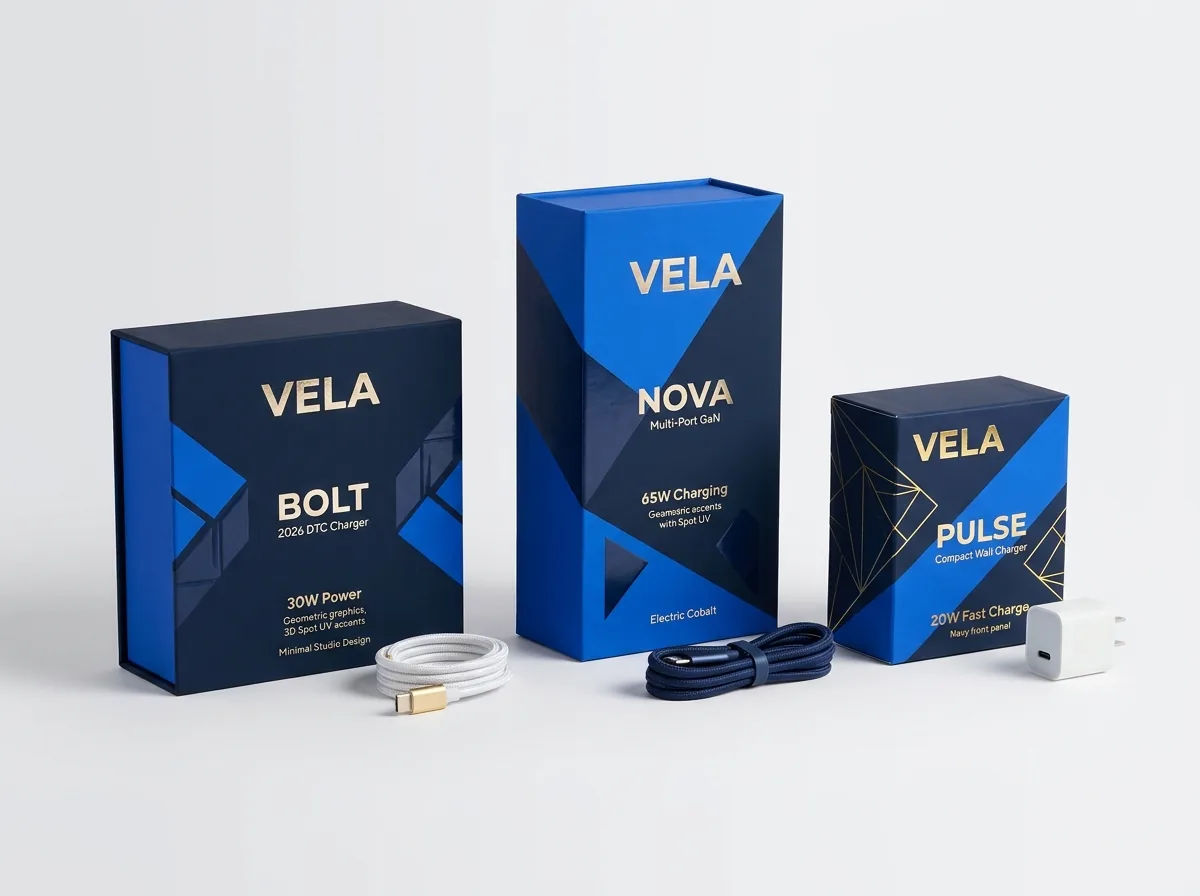
On retail pegboards, shoppers cannot touch the charger inside a sealed carton, so your front-panel print finish has to communicate the texture of the hardware. Coating the entire folding carton in glare-free matte lamination or soft-touch lamination and placing a Spot UV mask over the 1:1 charger photo creates realistic physical depth. For an extra detail that stands out on shelves, trace a separate vector Spot UV or metallic foil stamping layer over the metal USB-C port rings, the folding AC prongs and the '100W GaN' badge. In your Illustrator or PDF file, place the Spot UV shapes on a dedicated spot-color layer set to Overprint Fill, and keep a 0.0625-inch (1.5 mm) buffer away from fold scores so the high-gloss UV coating never cracks along the box edges.
- 1:1 hardware scale: size the front-panel charger render to 100% real life scale so buyers see how compact your GaN brick is.
- Spot UV port highlights: trace the metallic USB-C and USB-A port bezels with Spot UV or silver foil to draw the eye to port count.
- Score-line clearance: stop Spot UV and foil shapes at least 1.5 mm inside fold creases to prevent cracking when cartons fold.
What are the most common charger box insert and artwork mistakes?
A great power adapter can still suffer transit damage or buyer returns if the insert leaves prongs exposed or the spec panel is unreadable. Check these five items before approving your proof
- Letting fixed metal AC blades rest directly against the outer carton wall instead of building a recessed 0.25-inch card baffle into the insert.
- Omitting a multi-port wattage split diagram on 2-port and 3-port GaN chargers, leaving buyers confused about which port outputs full laptop wattage.
- Placing a bare metal-tipped USB-C cord in the same cavity as the charger brick without a paperboard divider wall or lower well.
- Setting 5-point PDO/PPS voltage tables in raster text or low-contrast gray ink that blurs under retail store lighting.
- Coating the bottom UPC barcode and factory lot/date sticker box with slick soft-touch lamination instead of leaving an unvarnished white zone.
Find your size
Suggested inside size: 2.25 × 1.5 × 3.25 in
A starting point. Your account manager confirms the size with you before the proof.
Quote this size →Packaging for this
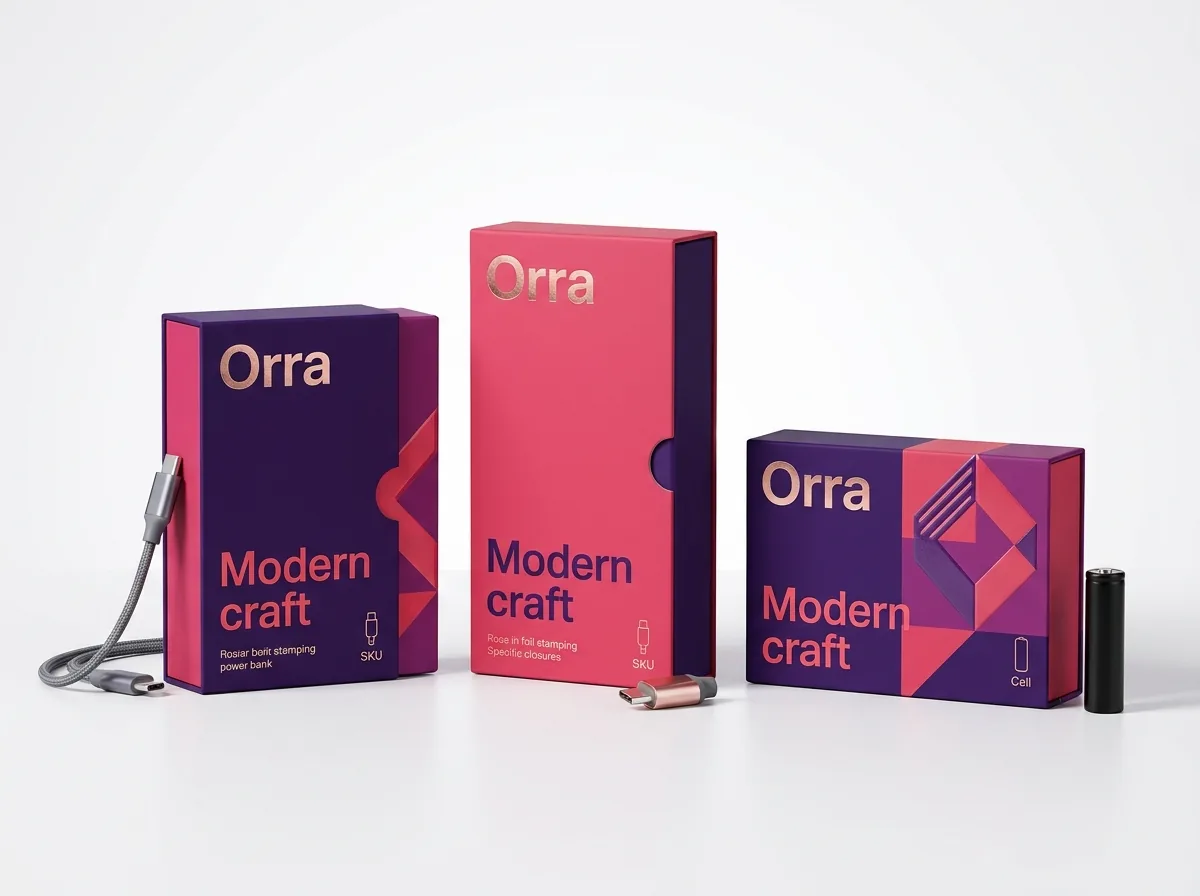

Ready to order charger boxes? Compare up to 3 quantities with a free 3D mockup.
Request a Quote →Questions about charger boxes
Will CubitPack design the prong-guard paperboard insert alongside my outer charger box?
Yes. Share your charger dimensions (including whether the AC prongs fold or stay fixed) and any bundled cable length, and our design team will create matched vector dielines for both the outer carton and the internal cradle for free.
Can I replace plastic blister trays with a 100% paperboard insert for heavy GaN bricks?
Yes. A die-cut folded white or kraft paperboard cradle supports 65W to 140W GaN bricks by their plastic shoulders, shields fixed AC blades behind a double-wall baffle, ships flat, and goes straight into curbside paper recycling.
How should I prepare the Spot UV layer for the charger render and USB-C port icons?
Create a separate layer in Adobe Illustrator named 'Spot UV', draw solid vector shapes over the 1:1 charger silhouette, port outlines and wattage badge using a 100% spot swatch, and turn on Overprint Fill. Or ask our free design team to set it up for you.
What is the smallest font size that stays readable for back-panel PDO/PPS voltage tables?
Keep input/output voltage and amperage lines at 5.5 to 6 points minimum using a clean sans-serif font. Print dark text in 100% K (black) on a light background, or add a slight CMYK choke around white knock-out text on dark backgrounds.
Can I print the multi-port wattage guide inside the lid instead of inserting a paper leaflet?
Yes. Inside printing lets you put your port-allocation chart, fast-charge cable tips and warranty QR code directly on the inside top flap or inner tray wall, eliminating the cost and packing labor of a separate paper manual.
Do I see how my spec tables, Spot UV and insert look before I pay for production?
Yes. Every order includes a free 2D digital proof and an interactive 3D mockup showing your outer artwork, Spot UV/foil placement and insert layout before payment. You can also order a physical prototype to test-fit your charger.
Still have a question? Ask a packaging specialist.
Request a Quote →Request your charger boxes quote
Tell us your size and quantities, and one dedicated account manager prepares pricing for each tier.
- Free design & AI-to-print studio + 3D mockup
- No die or plate charges · 4–5 day rush available
- Free shipping to all 50 states
- 10% off your first order
The prong-baffle insert rules, port-split diagram hierarchy and PDO/PPS prepress tolerances in this guide come from consumer power-supply packaging engineering and USB-IF Power Delivery naming standards. A CubitPack packaging specialist checked every section. Spot an error? Tell us and we will fix it.
Sources
What changed
- October 22, 2026: First published.
- October 22, 2026: Updated specifications, terminology, and verified source links.
More guides
New packaging guides by email
Sizes, materials and design tips. Unsubscribe anytime.